Skip to content
Jompom
Services
  • WordPress maintenanceUpdates, backups and monitoring
  • WooCommerce maintenanceShop care: checkout checked after updates
  • Website securityHardening, scans and protection
  • Malware removalHacked site? Fixed price, $199
  • Speed optimizationFaster pages and Core Web Vitals
  • White label for agenciesOur experts, your brand
All services →
AboutPricingBlogContact
Client portalGet started
ServicesWordPress maintenanceWooCommerce maintenanceWebsite securityMalware removalSpeed optimizationWhite label for agenciesAboutHow it worksPricingBlogContactClient portal
WordPress Help & Support

WordPress maintenance, handled safely.

Our WordPress maintenance safely updates core, plugins and themes and checks upgrade compatibility, so your site stays online. Backups, uptime and security monitoring, and a report for every task are all included.

See maintenance plans How updates work
  • From $40 a month
  • Set up in 12–24 hours
  • Supports all WordPress & WooCommerce plugins
Plugins updatedBackup ready
On this page
  • 01Update queue
  • 02What’s included
  • 03A typical month
  • 04Reports
  • 05Plans
  • 06FAQ

The update queue

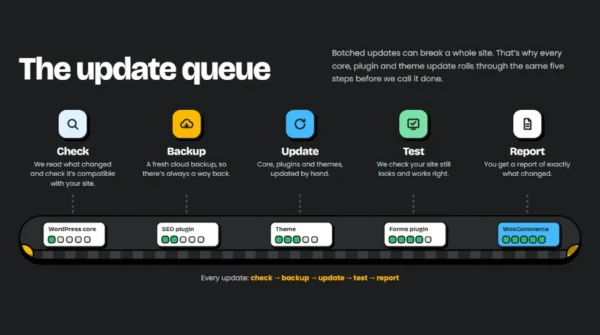
Botched updates can break a whole site. That’s why, in our WordPress maintenance, every core, plugin and theme update rolls through the same five steps before we call it done.

  1. Check

    We read what changed and check it’s compatible with your site.

  2. Backup

    A fresh cloud backup, so there’s always a way back.

  3. Update

    Core, plugins and themes, updated by hand.

  4. Test

    We check your site still looks and works right.

  5. Report

    You get a report of exactly what changed.

Every update: check → backup → update → test → report

What’s included

Our WordPress maintenance plans suit every kind of site, from large e-commerce stores to small personal blogs. We fully support all WordPress and WooCommerce plugins and themes.

Every plan includes the full checklist. Plans differ only in how many support hours you get each month.

  • Optional: premium hosting
  • Optional: staging website

Your monthly checklist

  • WordPress core updates
  • Plugin updates
  • Theme updates
  • Cloud backups
  • 24/7 uptime monitoring
  • 24/7 security monitoring
  • Security & malware scans
  • Website speed up
  • Small WordPress error fixes
  • Email & chat support
  • Dedicated account manager
  • A report for every task
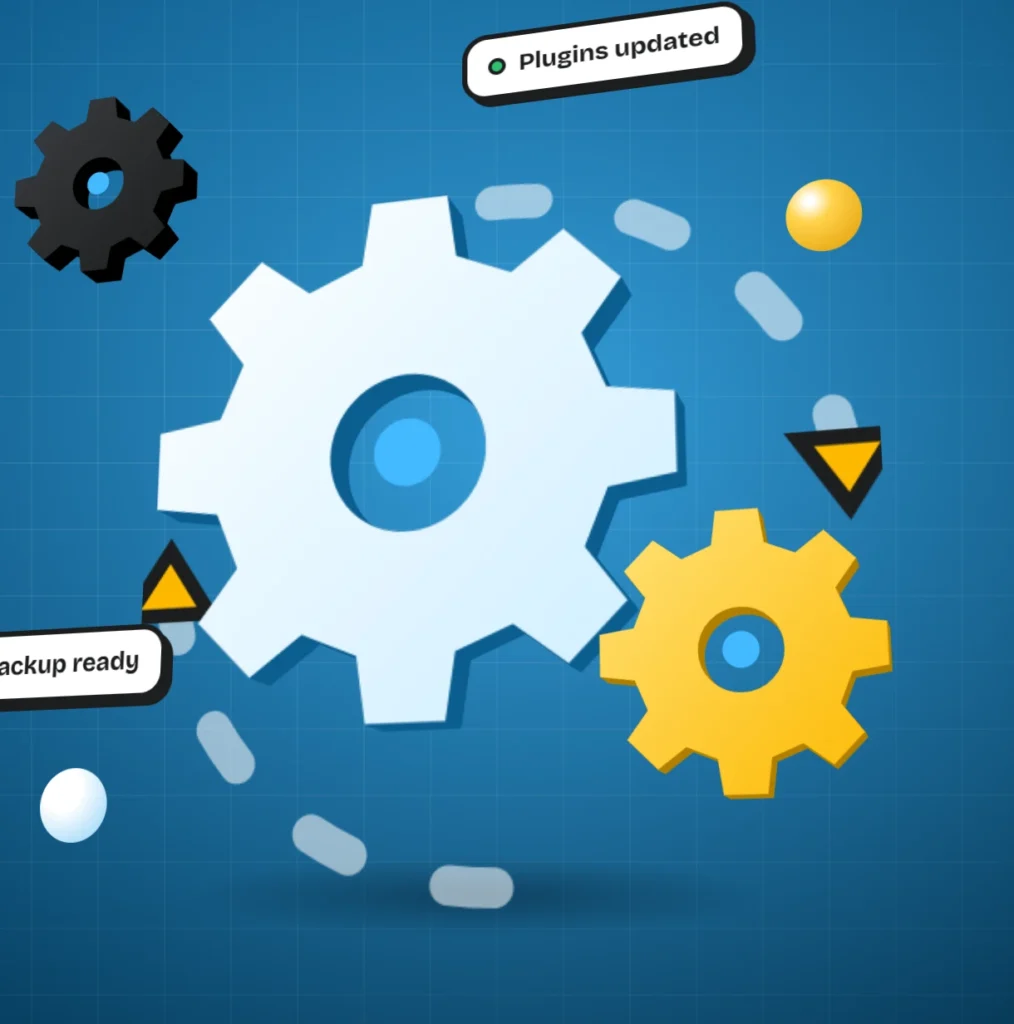
WordPress maintenance illustration: gears turning while plugins are updated and a backup is ready
Illustration

See it in action

WordPress maintenance, step by step

This illustration shows a routine round of updates from your side: the gears stand for WordPress core, your plugins and your theme, and the two notes are the kind of updates you see when a backup is ready and the plugins are done.

WordPress maintenance works best as a habit, not a rescue job. The WordPress documentation recommends a full backup before you update, which is why every update in our queue starts with one. Small, regular updates are also easier to check than one big jump after months of skipped releases.

Further reading

  • Updating WordPress (WordPress.org documentation) (opens in a new tab)
  • WordPress backups (WordPress Developer Resources) (opens in a new tab)

At a glance

  • Preview of "The update queue" on the Jompom WordPress maintenance page
    The update queue
  • Preview of "A report for every task" on the Jompom WordPress maintenance page
    A report for every task
  • Preview of "Maintenance questions" on the Jompom WordPress maintenance page
    Maintenance questions

How a month looks

Monitoring runs every day in the background. Updates, fixes and your requests happen as they come up, and each one ends with a report.

Every day Uptime monitoring · Security monitoring

Week 1

  • Plan set upwithin 12–24 hours of payment
  • First cloud backup
  • Set-up report

Week 2

  • Plugin & theme updatesthrough the update queue
  • Update report

Week 3

  • You post a ticket“Can you change our opening hours?”
  • We replyusually within 2–6 hours
  • Task report

Week 4

  • WordPress core update
  • Security & malware scan
  • Update report

Example month. Real timing depends on when updates are released and what your site needs.

A report for every task

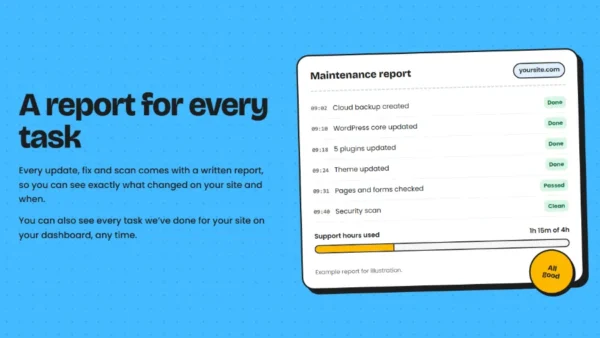
Every update, fix and scan comes with a written report, so you can see exactly what changed on your site and when. Good WordPress maintenance should be visible, not something you have to take on trust.

You can also see every task we’ve done for your site on your dashboard, any time.

Maintenance reportyoursite.com
  1. 09:02Cloud backup createdDone
  2. 09:10WordPress core updatedDone
  3. 09:185 plugins updatedDone
  4. 09:24Theme updatedDone
  5. 09:31Pages and forms checkedPassed
  6. 09:40Security scanClean

Support hours used1h 15m of 4h

All
good
Example report for illustration.

Pick your support hours

Every WordPress maintenance plan includes the full checklist above. Pay monthly, or pay yearly and save.

Starter

2 support hours a month

$40 /month

or $30 a month billed yearly
Popular

Business

4 support hours a month

$70 /month

or $60 a month billed yearly

Advanced

6 support hours a month

$120 /month

or $90 a month billed yearly

Monthly billing: Minimum 3 months. Yearly billing: Minimum 1 year. Your plan is fully set up within 12–24 hours of payment.

Compare plans Get started

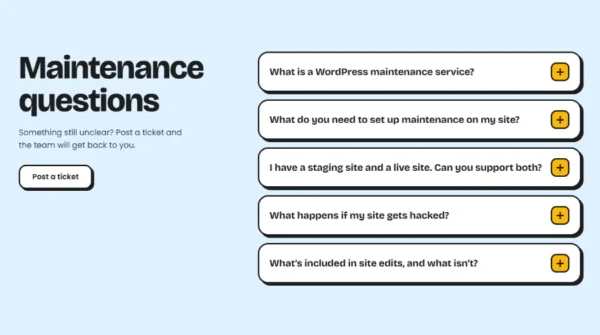
Maintenance questions

Something still unclear? Post a ticket and the team will get back to you.

Post a ticket

WordPress maintenance is the ongoing care a site needs: core, themes and plugins get regular updates for security, performance and stability. Skip them and, sooner or later, an outdated site breaks or gets hacked. With a maintenance plan we keep your site up to date, secure and stable, so you can focus on your business.

Yes. A small site runs the same WordPress core, plugins and themes as a big one and needs the same security updates. Every plan includes the full WordPress maintenance checklist and plans differ only in support hours, so a small site can simply start on Starter.

After you sign up, your welcome email shows how to connect your site in 2 minutes with our small Jompom Care plugin. No passwords needed: if we must log in, you give us safe temporary access with one click.

Yes. Updates are done on your live site by default. If you’d like updates tested on a separate staging site first, contact us and we’ll set up a plan for that.

We monitor client sites with ongoing security scans and check common issues by hand when needed. If something gets through, our security team cleans it up. Our WordPress website security service covers this in detail.

Site edits cover content changes, plugin settings and CSS adjustments. Custom development (PHP, plugins, themes), updating custom code, graphic design, content creation and new sites or subdomains are not included, but we can do them as hourly or retainer work.

Jompom

We safely update WordPress core, plugins and themes, and keep your site online, secure and fast.

Services

  • Security
  • Malware removal
  • White label for agencies
  • Maintenance
  • WooCommerce care
  • Speed Optimization

Useful links

  • FAQs
  • Pricing
  • Blog
  • Sample report
  • Terms
  • Privacy
  • Cookie policy
  • Accessibility

Support

  • Post a ticket
  • Get started
  • Jompom Care plugin
  • Client portal
  • Contact us
JOMPOM
© 2026 Jompom.com. All rights reserved.WordPress care, 24/7.