Keep your WooCommerce shop secure and selling.
Our WooCommerce maintenance covers the whole store: we update WooCommerce, its extensions, your theme and WordPress, with a backup first and a walk through your order flow after. We also watch your store’s performance, health and search rankings, so it keeps running at its best.
- ProductPage & prices load
- CartAdd to cart works
- CheckoutFields & shipping
- PaymentGateway responds
- EmailOrder email sent
After every update: product → cart → checkout → payment → email0 / 5 checked
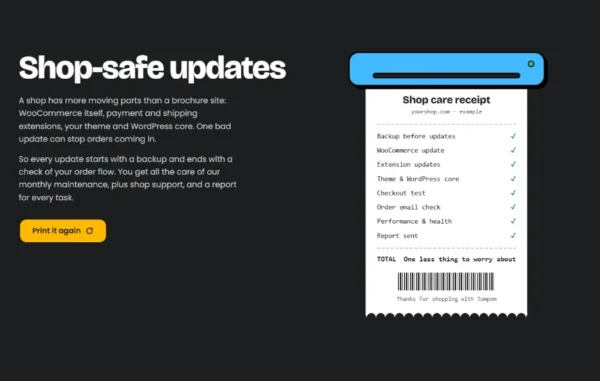
Shop-safe updates
A shop has more moving parts than a brochure site: WooCommerce itself, payment and shipping extensions, your theme and WordPress core. One bad update can stop orders coming in.
That’s why our WooCommerce maintenance starts every update with a backup and ends it with a check of your order flow. You get all the care of our monthly maintenance, plus shop support, and a report for every task.
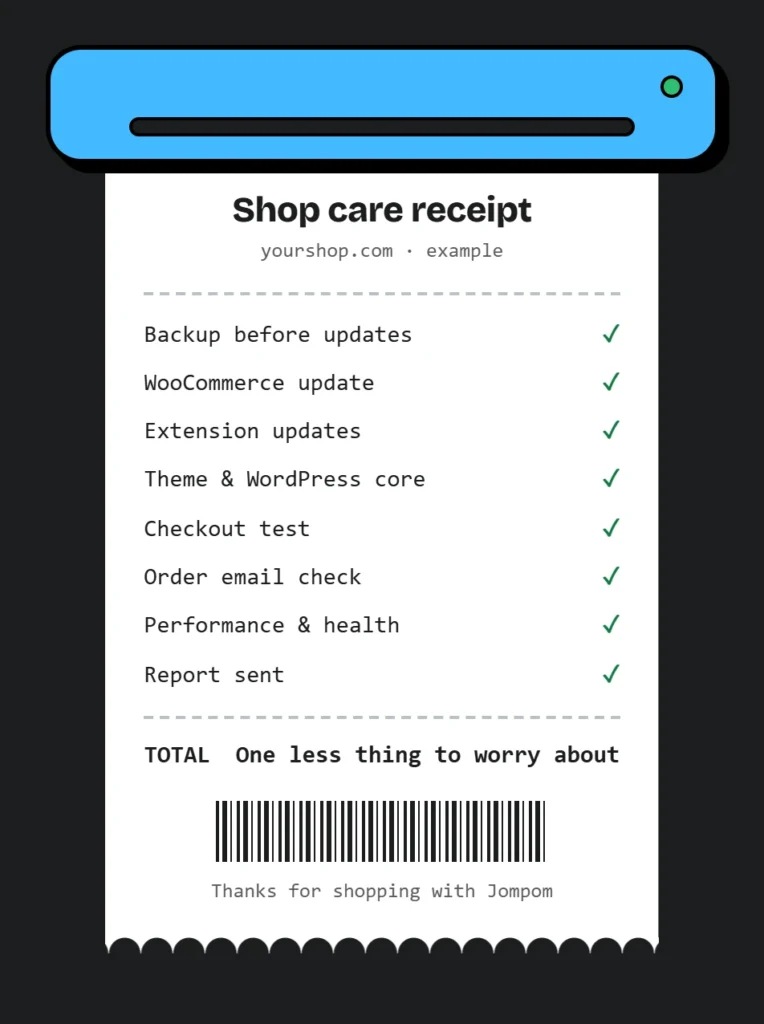
Shop care receipt
yourshop.com · example
- Backup before updates✓
- WooCommerce update✓
- Extension updates✓
- Theme & WordPress core✓
- Checkout test✓
- Order email check✓
- Performance & health✓
- Report sent✓
TOTALOne less thing to worry about
Thanks for shopping with Jompom
Three things a shop can’t skip
Store updates are only safe when you can roll back and when you know checkout still works. These three checks are the core of our WooCommerce maintenance.
- Backup
readyBackups before updates
We take a fresh cloud backup of your shop before we change anything, so orders, products and settings can always be restored.
- Place order
Checkout testing
After updates we go through your shop the way a customer does: product page, cart, checkout and payment.
- Order confirmed ✓
Order emails
We check that order emails still go out, so your customers get their confirmation and you hear about every sale.

See it in action
WooCommerce maintenance, itemised
This is an example of the summary behind every round of WooCommerce maintenance. The backup comes first. Then WooCommerce, its extensions, your theme and WordPress core are updated, and after that we test checkout and order emails and look at performance and health before the report goes out.
WooCommerce’s own update guide recommends taking a backup before you update a store. We start every update on your shop the same way, so there is always a way back if something misbehaves.
At a glance
Shop-safe updates 
Same plans, shop support included 
Let us mind the shop.
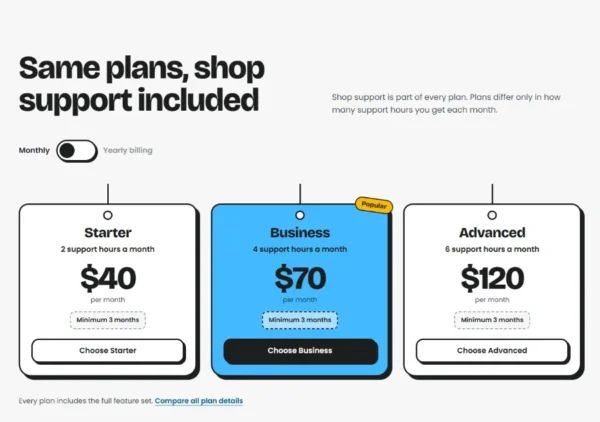
Same plans, shop support included
WooCommerce maintenance is part of every plan. Plans differ only in how many support hours you get each month.
Every plan includes the full feature set. Compare all plan details
Shop questions
Something still unclear? Post a ticket and the team will get back to you.
Post a ticketYes. We fully support all WordPress and WooCommerce plugins and themes, from small shops to large e-commerce sites.
No. Shop support is included in every plan: Starter, Business and Advanced. Choose the plan by how many support hours a month your shop needs.
Every update starts with a fresh cloud backup. Then we update WooCommerce, its extensions, your theme and WordPress core, go through product page, cart, checkout and payment, check that order emails still go out, keep an eye on performance and health, and send you a report for every task.
We back up your shop before updating, and check the order flow afterwards. If something isn’t right, we fix it or restore the backup, and the report tells you what happened.
Yes. Optimizing WooCommerce checkout speed is part of our WordPress speed optimization service, along with Core Web Vitals and slow back-end fixes.
We respond as soon as possible, usually within 2–6 hours. On peak days it can take a little longer.
Pick a plan and you’ll get a welcome email explaining how to send your WordPress and hosting logins securely. Your plan is fully set up within 12–24 hours of receiving them.
- Product
- Cart
- Checkout
- Payment
- Order email
- Backups
- Updates
- Report
- Product
- Cart
- Checkout
- Payment
- Order email
- Backups
- Updates
- Report
Let us mind the shop.
Tell us about your store. We’ll handle the updates, backups and checks, and you get back to selling.