Contact us. Pick a door.
Ask a question about our WordPress maintenance plans and services or, if you’re already a client, post a WordPress support ticket. Prefer email? Write to [email protected].
Open a door above to start ↑
Ask a question
Tell us what you’d like to know. A WordPress expert, not a bot, will answer.
Post a ticket
For clients: report a problem or request a task, and our WordPress support team picks it up. The more detail you give, the faster we can fix it.
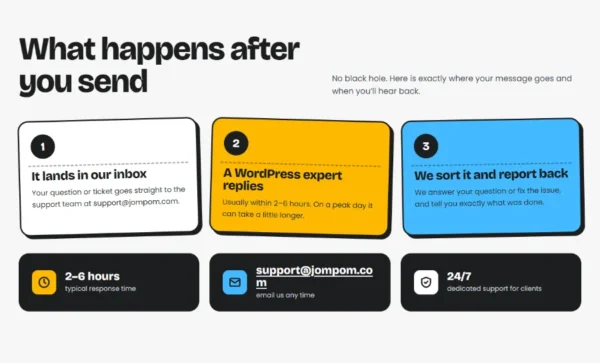
What happens after you send
No black hole. Here is exactly where your message goes and when you’ll hear back.
It lands in our inbox
Your question or ticket goes straight to our WordPress support team at [email protected].
A WordPress expert replies
Usually within 2–6 hours. On a peak day it can take a little longer.
We sort it and report back
We answer your question or fix the issue, and tell you exactly what was done.
Behind the doors
How WordPress support works at Jompom
There are two doors at the top of this page. The blue “Ask a question” door is for anyone thinking about a plan: prices, support hours or what we can do for your site. The yellow “Post a ticket” door is our WordPress support desk for clients.
A good ticket saves time on both sides. Tell us which page is affected, what you expected to happen, what happened instead and since when, and add a screenshot if you can. Please never put passwords in a ticket: your welcome email explains how to share logins securely.
Every message is answered by a person, not a bot, and you get the reply by email, usually within 2–6 hours. Not a client yet and just stuck on something? The free WordPress.org support forums and the official documentation are good places to look, too.
At a glance
What happens after you send 
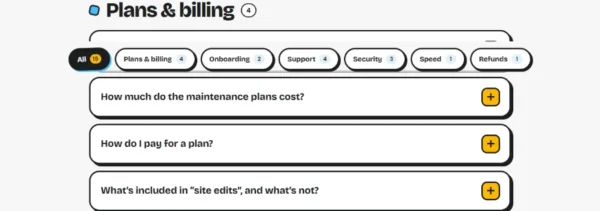
Plans & billing 
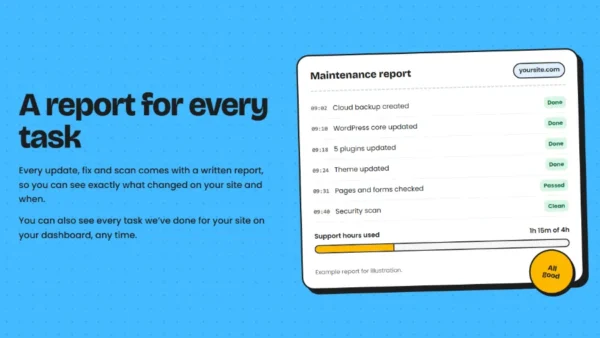
A report for every task
WordPress support questions
Still not sure which door to pick? Email us and we’ll point you the right way.
Email usA WordPress expert usually replies within 2–6 hours. On a peak day it can take a little longer. Every reply comes by email, so you have a record of what was said and done.
Tickets are for clients with a Jompom plan. Every plan includes support hours each month: 2 on Starter, 4 on Business and 6 on Advanced. Not a client yet? Use the “Ask a question” door instead.
The page or feature that’s affected, what you expected, what happened instead and since when. A screenshot or the exact error message helps a lot. Please don’t send passwords in a ticket.
Yes. Ask a question and tell us about your site. We’ll suggest the plan that fits or, for one-off work outside a plan, quote it as hourly work.